Monthly Readiness Checks
Below are instructions for logging a monthly readiness check on your AED.
If there are any issues with your AED while performing your check, please refer to our troubleshooting guides or email us at info@viaheartproject.org. Please open a support ticket if you are unable to resolve the issue using our guides.
How to log your readiness check
STEP 1
♥︎ Log in to onlineoversight.com with your email address and password
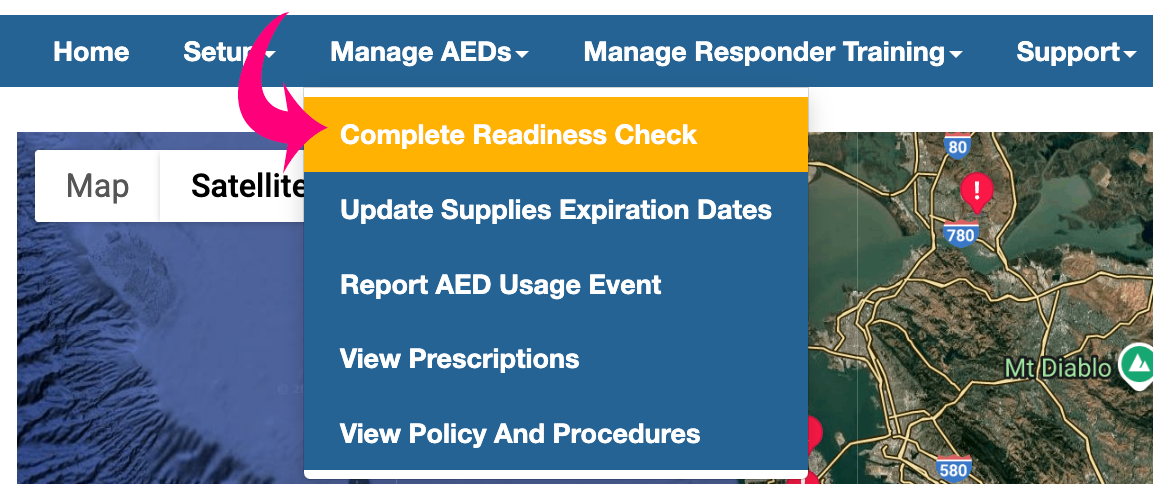
♥︎ Click “Manage AEDs”

STEP 2
♥︎ Click “Complete Readiness Check”
STEP 3
♥︎ Select the AED you are checking by clicking “Update” (each AED must be done individually)

STEP 4
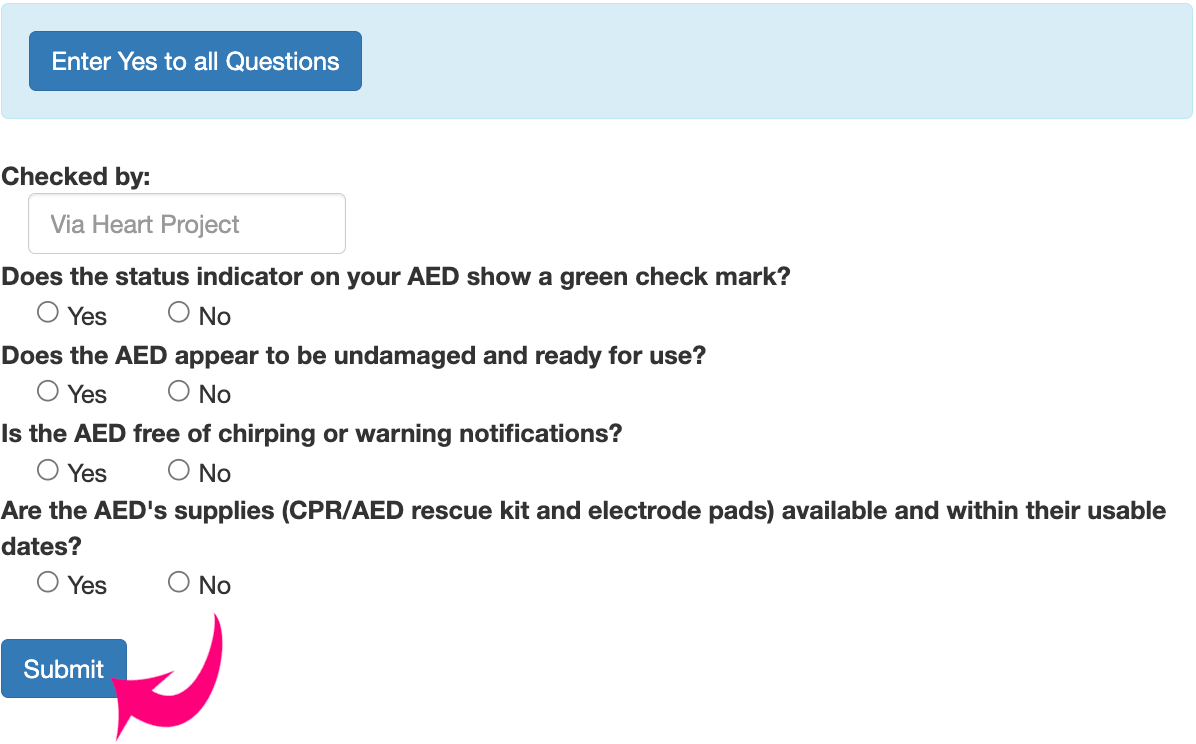
♥︎ While looking at the AED, answer the four yes or no questions regarding its readiness status
♥︎ Click “Submit”
♥︎ Repeat steps 3 & 4 for each AED